Your Secrets,
Only Yours.
HexPass is a military-grade, offline-first password manager. Zero trackers, zero cloud sync, 100% security.
Download APK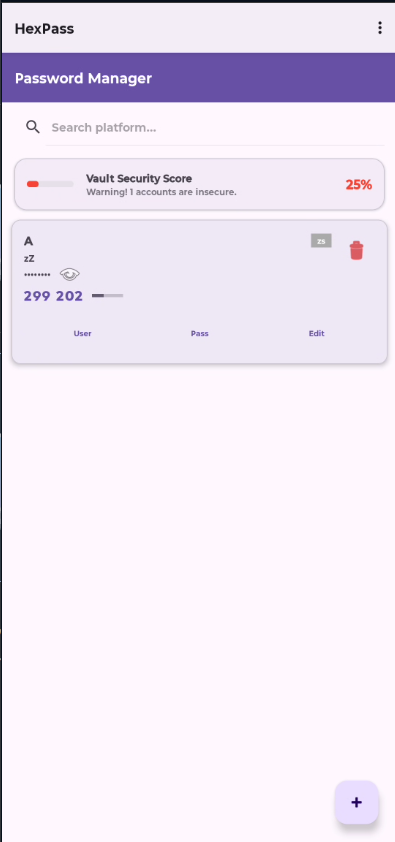
AES-256 Encryption
Military-grade encryption ensures your data is impossible to crack.
Offline First
No internet permission required. Your data never leaves your device.
Biometric Unlock
Access your vault instantly with Fingerprint or Face ID.
Google Drive Backup
Optional encrypted cloud backup to your Google Drive's app folder.
Breach Detection
Check if your passwords have been compromised using Have I Been Pwned.
2FA Authenticator
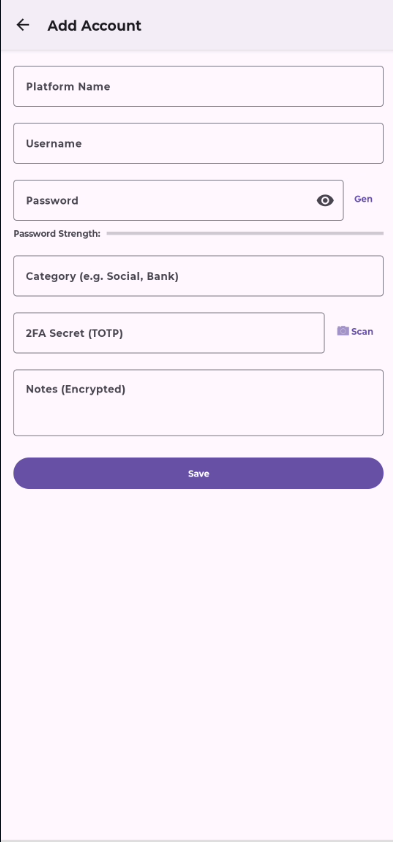
Built-in TOTP authenticator. Scan QR codes or enter manually.
About HexPass
HexPass is a secure, offline-first password manager application for Android devices. Developed by Amit29x, the app helps you safely store and manage your passwords, login credentials, secure notes, and two-factor authentication (TOTP) codes.
The app provides military-grade AES-256 encryption to protect your sensitive data. All your information is stored locally on your device in an encrypted database, ensuring your privacy and security.
Key Functionality:
- Securely store passwords, usernames, and notes
- Generate strong, random passwords
- Two-factor authentication (TOTP) code generator
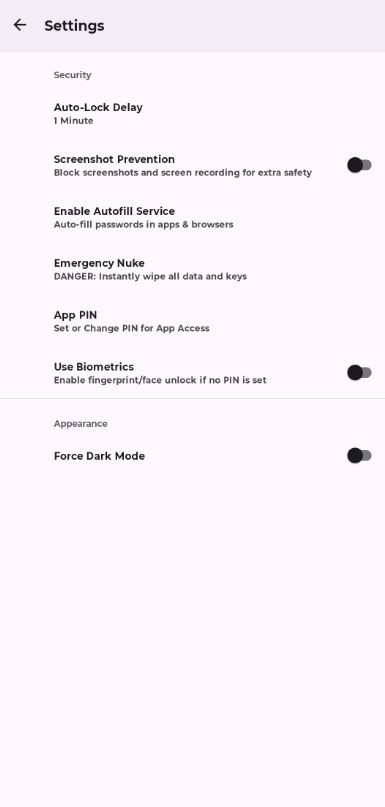
- Biometric unlock (fingerprint/face)
- Optional encrypted Google Drive backup
- Password breach detection
- Emergency data deletion feature
🔒 Why We Request User Data Access
HexPass may request the following permissions. Here's exactly why:
- Google Drive (drive.appdata scope): Only used for optional encrypted backup to YOUR Google Drive's hidden app folder. We cannot access your other files.
- Camera: Only for scanning QR codes to add 2FA accounts. No images are saved or transmitted.
- Biometric: For quick, secure unlock using your fingerprint or face. Verification happens locally on your device.
- Internet: Only for Google Drive sync and optional breach detection. The app works fully offline otherwise.
We do NOT collect, store, or transmit any of your personal data to our servers.
Privacy Policy
Effective Date: January 31, 2025 | Last Updated: January 31, 2025
1. Overview
HexPass is committed to protecting your privacy. This Privacy Policy explains how your information is handled in the HexPass mobile application.
2. Data Collection
HexPass is an offline-first application.
- We do NOT collect, store, or transmit any personal data to external servers.
- All your passwords, usernames, notes, and other data are stored locally on your device in an encrypted database.
- We have no access to your master password, PIN, or your stored data.
- We do NOT use analytics, tracking, or advertising services.
3. Google Drive Integration
When you use the optional Google Drive backup feature:
- We use Google's OAuth 2.0 for secure authentication
- We only access the app-specific folder (appDataFolder) in your Google Drive
- We cannot read, modify, or access any of your other Google Drive files
- Your backup data is encrypted locally before being uploaded to Google Drive
- You can revoke access at any time from your Google Account settings
Scope Used: drive.appdata - See, create and delete its own configuration data in your Google Drive
4. Permissions
The app requests the following permissions for specific functionalities:
- Internet: Used for Google Drive sync and breach detection checks
- Biometric Hardware: Used solely for verifying your identity to unlock the app locally
- Camera: Used solely for scanning QR codes to add 2FA (TOTP) accounts. No images are saved or transmitted
- Storage (Files): Used only when you explicitly choose to "Backup" or "Restore" your data locally
5. Data Security
- Your data is encrypted using AES-256 encryption
- Your Master Password/PIN is hashed and never stored in plain text
- Encryption keys are stored in Android Keystore (hardware-backed when available)
- All cloud backups are encrypted before leaving your device
6. Breach Detection
When using the password breach detection feature:
- We use the Have I Been Pwned API with k-anonymity
- Only the first 5 characters of your password's SHA-1 hash are sent
- Your actual password is never transmitted
- This feature is optional and user-initiated only
7. Third-Party Services
- Google Sign-In: For optional cloud backup authentication
- Have I Been Pwned API: For optional breach detection
8. Data Retention
- All data is stored locally on your device
- You can delete all data at any time using the "Emergency Nuke" feature
- Uninstalling the app removes all local data
- Cloud backups in Google Drive remain until you delete them manually
9. Children's Privacy
HexPass is not intended for children under 13 years of age. We do not knowingly collect personal information from children.
10. Changes to This Policy
We may update this Privacy Policy from time to time. We will notify you of any changes by posting the new Privacy Policy on this page.
11. Contact Us
If you have any questions about this Privacy Policy, please contact us at:
📧 amit29xstudio@gmail.com
Website: https://hex-pass.vercel.app
Developer: Amit29x